Worklist

Worklist allows Subagents to schedule and track tasks that run beyond a single chat turn.
When to use this tool
- Delayed or long-running operations
- Recurring automation
- Queue-based follow-up actions
Configuration
- Enable background execution settings
- Set recurrence and trigger conditions
- Define completion/failure handling
Example usage
User prompt:
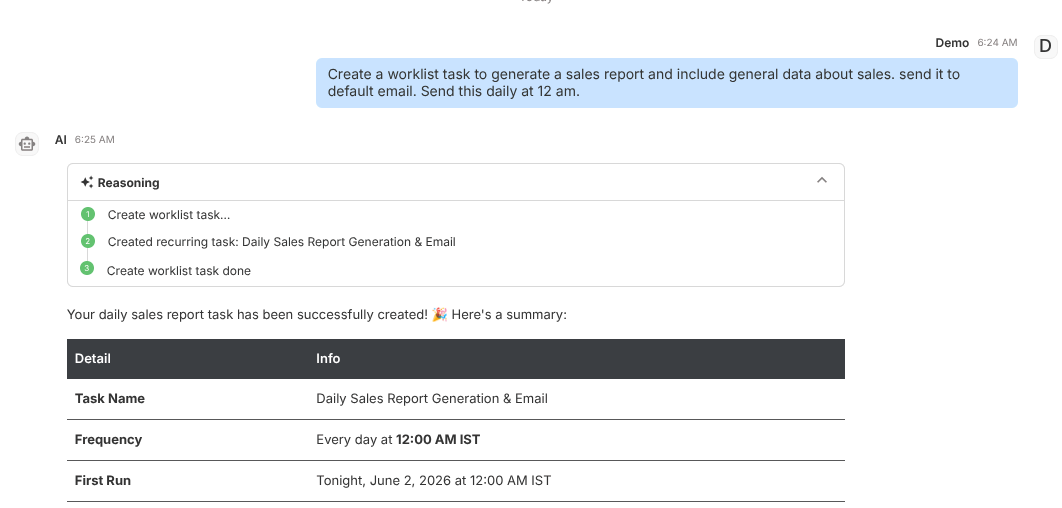
Create a worklist task to generate a sales report and include general data about sales. send it to default email. Send this daily at 12 am.
Expected behavior:
- Creates task in worklist queue
- Runs per configured schedule
- Exposes status and output for review
Validation checklist
- Confirm tool is attached to correct Subagent
- Test both success and failure path in Preview
- Verify deployed behavior in Interact for real user phrasing
Common issues
- Missing recurrence config prevents expected scheduling
- No failure policy causes silent operational gaps
Best practices
- Use explicit task naming conventions
- Review failed tasks daily for reliability