Threads
How to get there: Agent → Threads
What Threads is for
Use Threads to:
- review real user interactions,
- investigate bad answers/escalations,
- audit channel-specific behavior,
- identify routing/prompt/tool gaps.
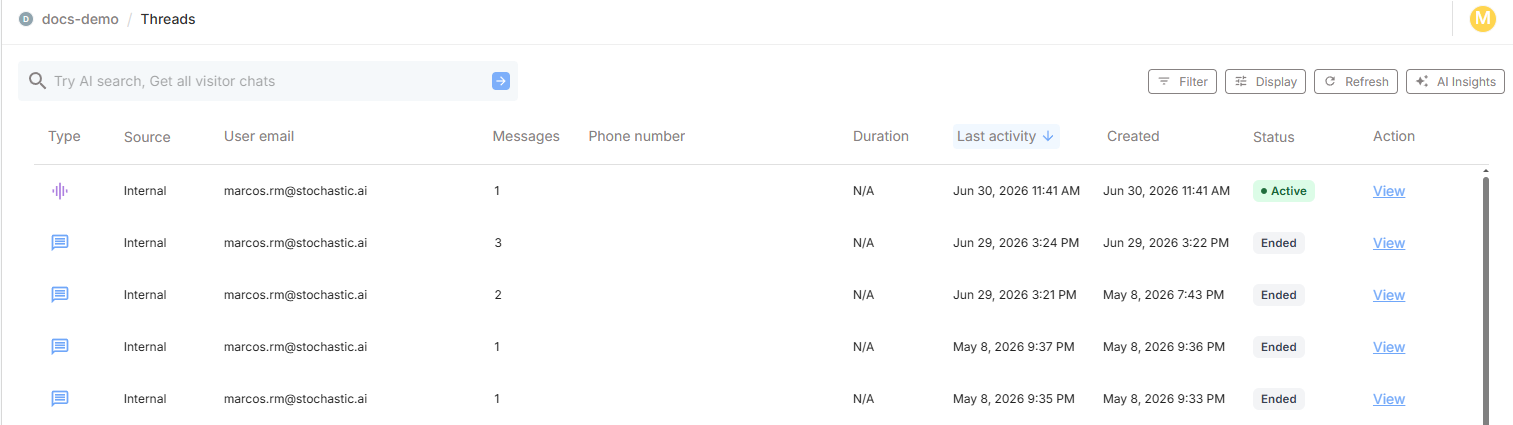
Threads table
| Column | Description |
|---|---|
| Type | Communication channel — web chat, voice or phone |
| Source | Whether the conversation originated from an external or internal user |
| User email | Displays the user's email for internal users; shows "visitor" for external users |
| No. of messages | Total number of messages exchanged in the conversation |
| Phone number | Caller's phone number (phone calls only) |
| Duration | Call length for voice and phone conversations; N/A for text chats |
| Last activity | Timestamp of the most recent interaction |
| Created | Timestamp when the conversation started |
| Status | Active — voice/phone call in progress or agent processing a chat message. Ended — voice/phone call finished or agent idle in text chat |
| Action | Opens the full conversation transcript or archives the thread |
Archive and restore threads
Editors and moderators can archive a thread from the table actions or from the open thread. Archived threads are hidden from the default view. Use Filter → Archive status → Archived to view archived threads. You can restore an archived thread by selecting Unarchive from the table actions or the open thread.
How to triage effectively
1) Start with recent activity
Review newest/most active threads first to catch fresh issues quickly.
2) Prioritize high-risk signals
- repeated fallback messages,
- wrong Subagent routing,
- user frustration language,
- abnormal thread length.
3) Trace to root cause
When a thread looks off, cross-check:
- Subagent prompt clarity,
- Drive attachment relevance,
- tool configuration correctness,
- guardrail thresholds.
Opening a thread
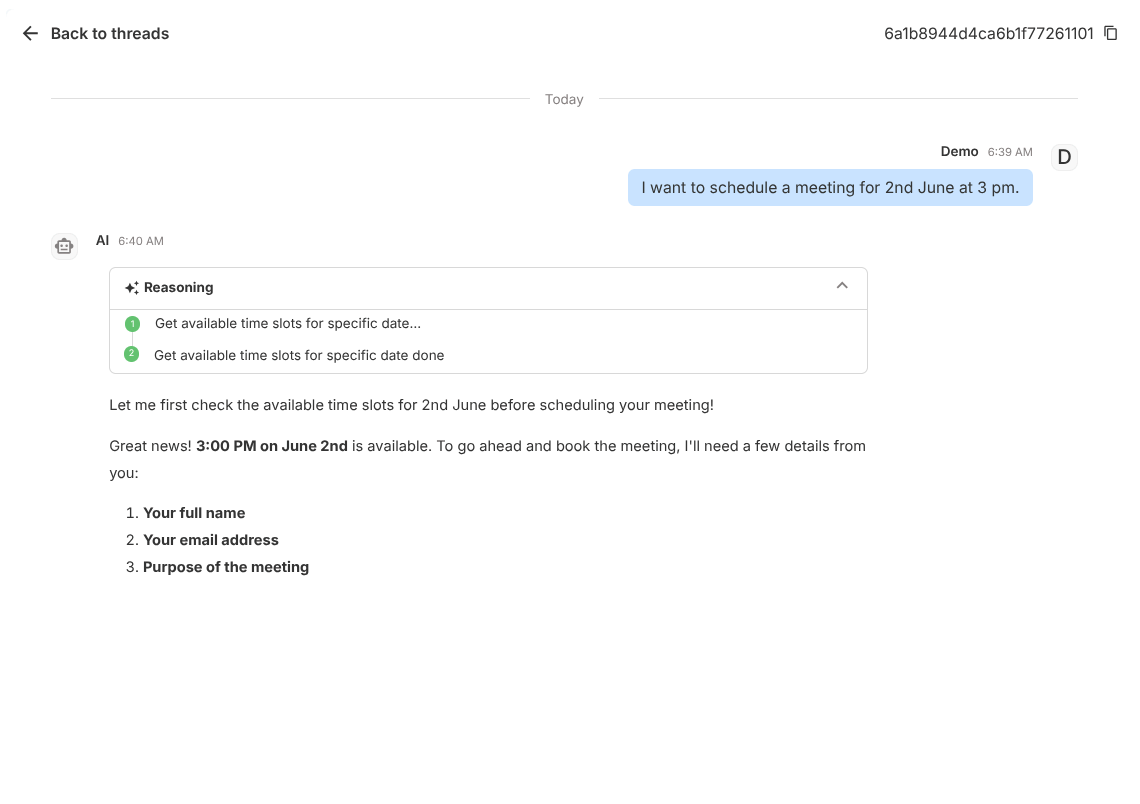
Click View to open the full transcript in a side drawer.
Use this to inspect:
- exact user request wording,
- response sequence,
- transition points between Subagents,
- where escalation or failure occurred.
For voice and phone threads, clicking View on an Active conversation lets you listen to the call in real time. Once the conversation has Ended, the full recording becomes available for playback.
Threads vs Interact history
| Dimension | Threads | Interact History |
|---|---|---|
| Source | External/public users | Internal testing |
| Primary use | Production monitoring | Pre-release validation |
| Risk signal value | High | Medium |
Best practices
- Review Threads daily after major deployments
- Label common failure patterns in team notes
- Use representative failing prompts in Preview regression tests
- Track top recurring intents to improve Subagent boundaries