Artifacts
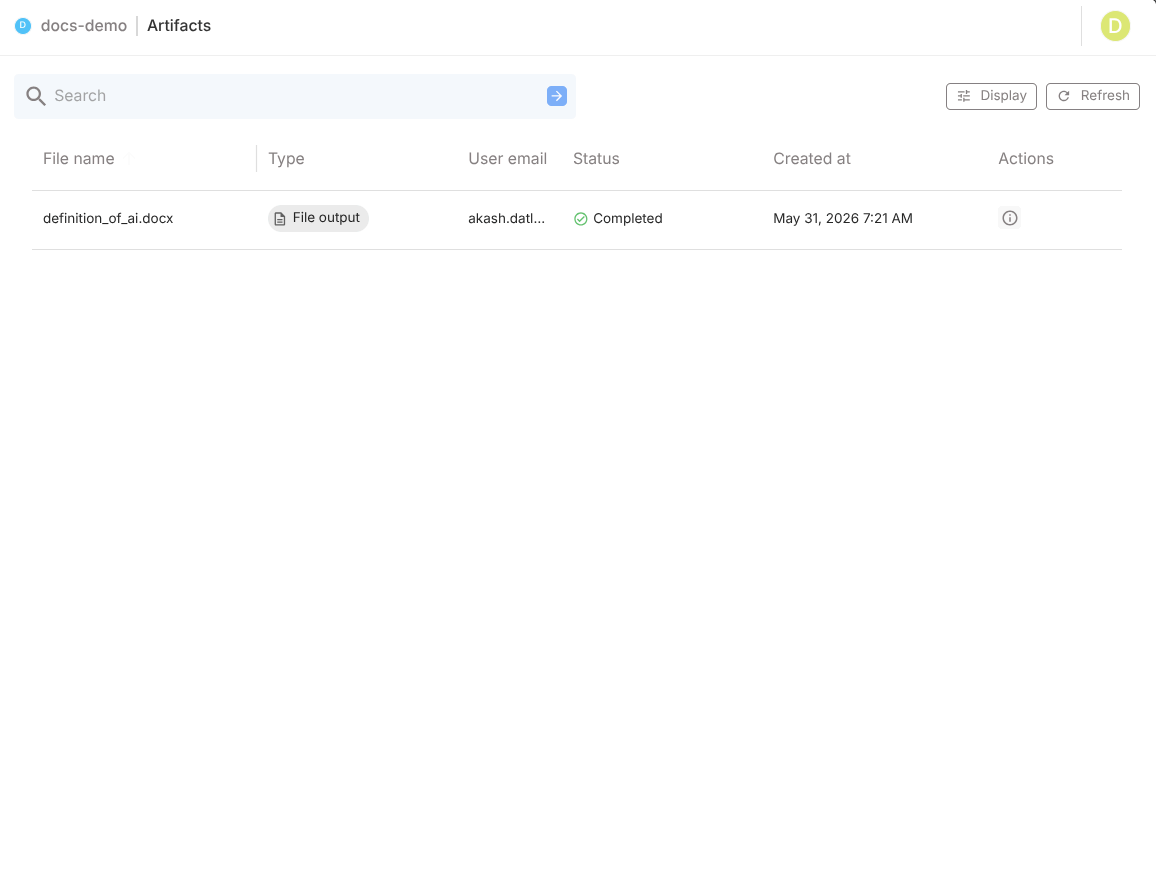
How to get there: Agent → Artifacts
Why Artifacts matters
Artifacts helps teams:
- verify operational output quality,
- audit what was generated and why,
- reproduce workflow issues,
- hand off outputs to downstream users/systems.
Browsing and discovery
Use:
- Search to find outputs by name
- Infinite scroll for large histories
- File cards for quick metadata scan
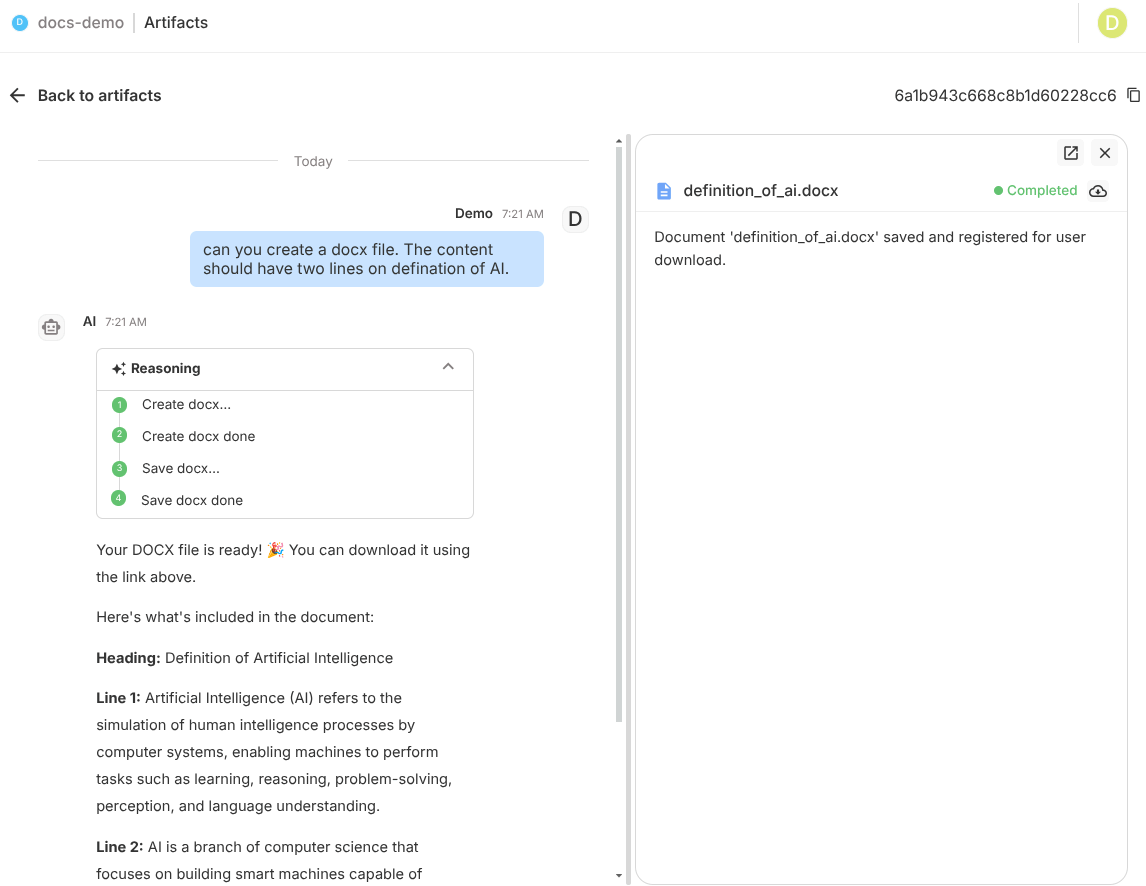
Preview behavior by file type
| File type | Preview mode |
|---|---|
| JSON | formatted viewer |
| embedded PDF viewer | |
| CSV/XLSX | table/grid view |
| Images | inline preview |
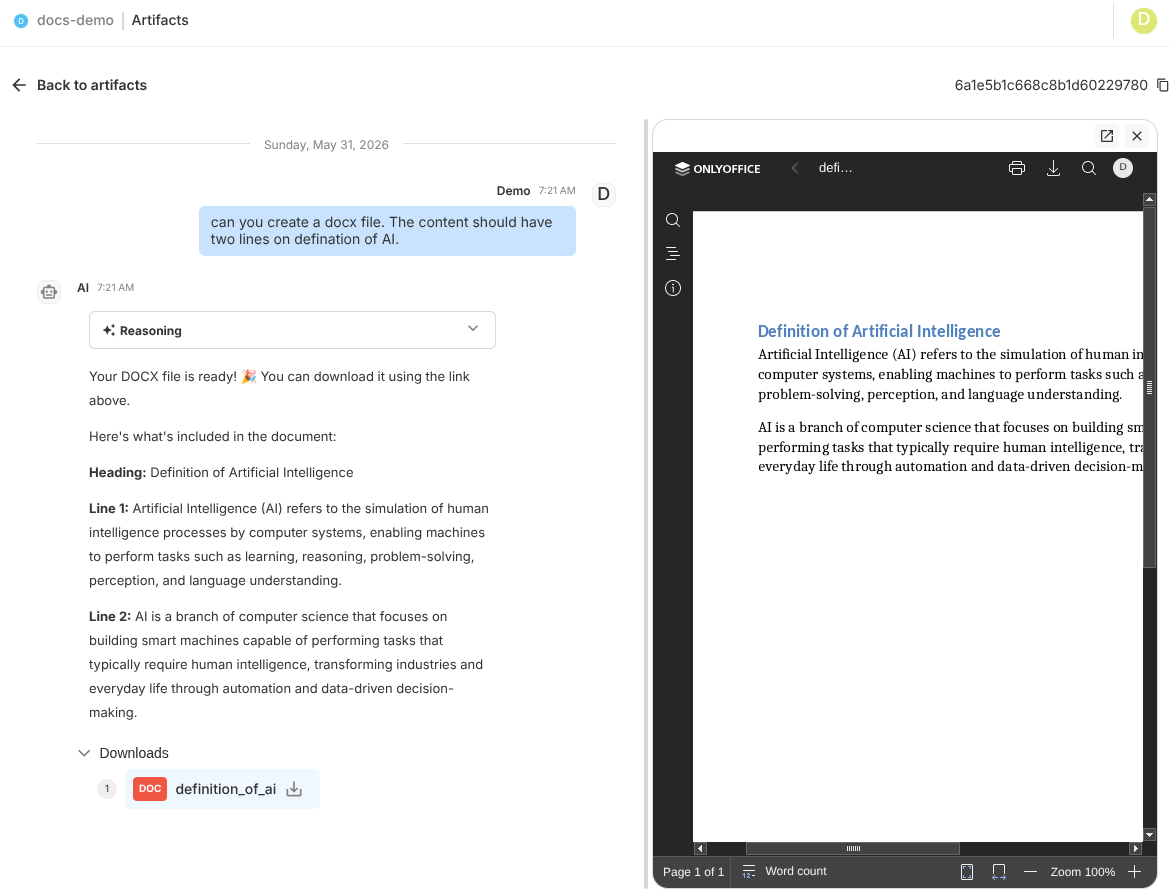
| DOCX | document-style preview |
Traceability with Chat History
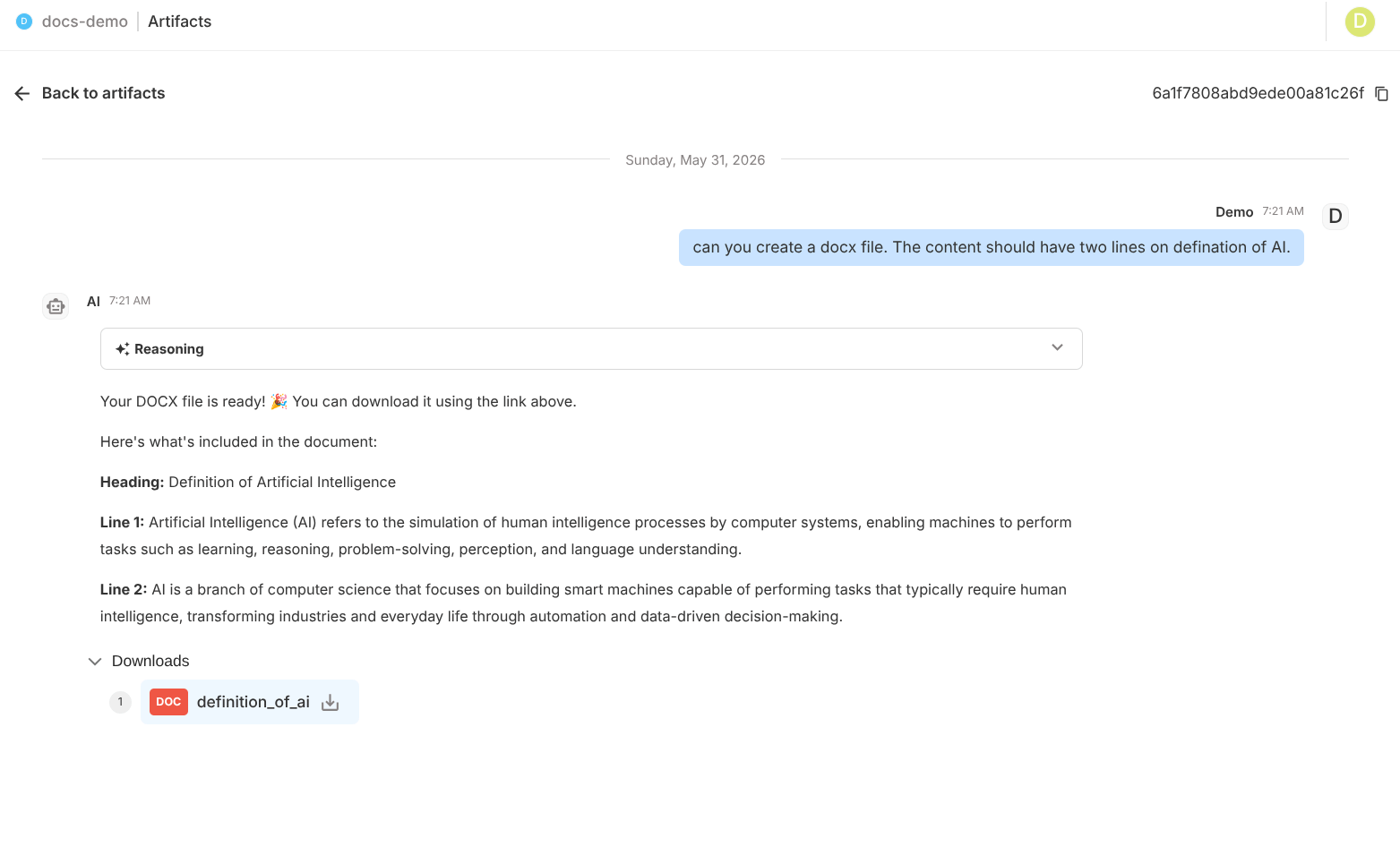
For each artifact, open Chat History to see the conversation context that created it.
This is essential for:
- explaining unexpected outputs,
- debugging extraction/report logic,
- validating user-request alignment.
Operational workflow
- Identify artifact from list/search
- Preview output for correctness
- Open chat history for provenance
- Fix prompt/tool/subagent config if needed
- Retest and regenerate
Key points
- All Subagent outputs appear automatically
- Artifacts persist across sessions and versions
- Artifacts + Chat History provide full audit trail
Best practices
- Standardize naming patterns for generated outputs
- Verify high-impact outputs before external delivery
- Use artifacts in QA sign-off for new workflows
- Keep an internal checklist per artifact type (e.g., report fields, file schema)