Tools
Where to configure: Composer → Manual mode → select Subagent → Tools
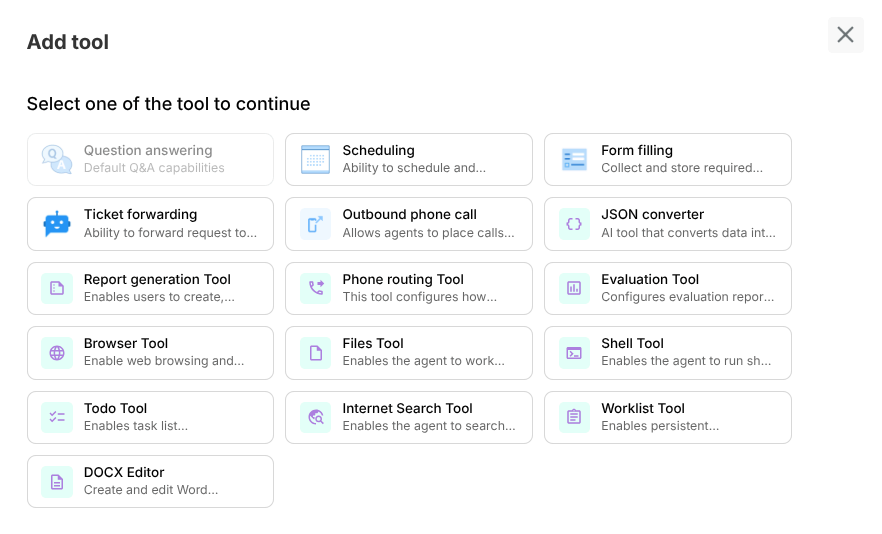
How to choose the right tool
Use this decision order:
- Does the task require external action? → use a tool
- Is the task retrieval-only? → prefer Drive context + question answering
- Is task long-running/background? → prefer Worklist flow
- Is output structured/file-based? → use Files/JSON/Docx/Report tools as needed
Tool scoping principles
- Tools are attached per Subagent, not globally
- Different Subagents should have different tool sets
- Minimize tool sprawl to reduce wrong-tool calls
Tool categories
Conversational and retrieval
- Question Answering
- Internet Search
- Browser
Data collection and transformation
- Form Filling
- JSON Converter
- Files
- Docx Editor
Operations and automation
- Scheduling
- Ticket Forwarding
- Report Generation
- Evaluation
- Todo
- Worklist
Voice/telephony
- Outbound Phone Call
- Phone Routing
Execution utility
- Shell
Current tool catalog
| Tool | Docs |
|---|---|
| Question answering | Open |
| Scheduling | Open |
| Form filling | Open |
| Ticket forwarding | Open |
| Outbound phone call | Open |
| JSON converter | Open |
| Report Generation | Open |
| Phone Routing | Open |
| Evaluation | Open |
| Browser | Open |
| Files | Open |
| Shell | Open |
| Todo | Open |
| Internet Search | Open |
| Worklist | Open |
| Docx Editor | Open |
Testing checklist for any tool
- Added to correct Subagent
- Required credentials/keys configured
- Prompt instructions mention when to use tool
- Success and failure prompts tested in Preview
- Deployed behavior verified in Interact
Common mistakes
- Attaching every tool to every Subagent
- Missing credential setup before testing
- No fallback behavior when tool fails
- Not validating data format assumptions
Best practices
- Keep each Subagent’s toolset purpose-driven
- Pair tool setup with clear Subagent prompts
- Define fallback and escalation behavior
- Re-test critical tools after major version changes