Agents
An Agent is the primary AI experience your users interact with. It routes incoming requests, manages context, and delegates focused work to Subagents.
Agent responsibilities
An Agent is responsible for:
- understanding user intent,
- selecting the right Subagent,
- preserving conversation continuity,
- returning cohesive responses.
It should be treated as your orchestration layer, not as one large monolithic prompt.
Creating an Agent
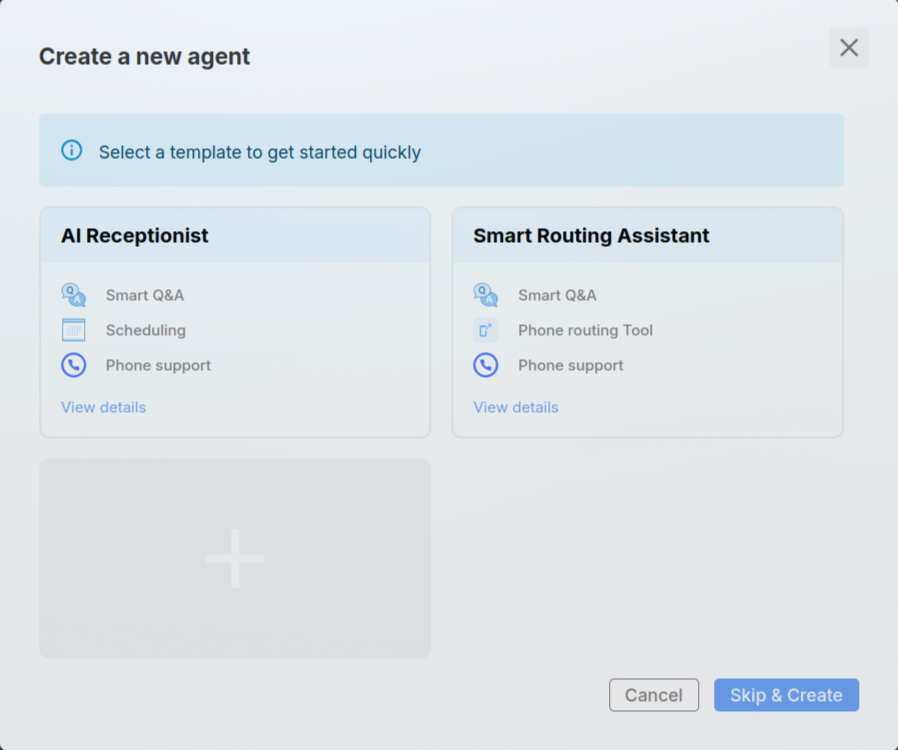
- Click + New Agent
- Choose:
| Option | Best for |
|---|---|
| Template | Faster start using proven setup |
| Blank | Full custom architecture |
- Name the Agent clearly (customer-facing purpose)
- Open Composer and begin configuration
note
Creating agents requires the create_new_agents privilege.
Designing with Subagents
Subagents should map to clear business responsibilities.
Examples:
- Scheduling
- Tier-1 Support
- Billing Questions
- Report Generation
Each Subagent can have:
- dedicated prompt behavior,
- dedicated Drive folders,
- dedicated tools,
- dedicated guardrail constraints.
Agent pages and operational views
| Page | Primary use |
|---|---|
| Interact | Validate deployed behavior |
| Threads | Review real user conversations |
| Feedback | Curate and improve quality |
| Worklist | Manage async/background work |
| Artifacts | Inspect generated outputs |
| Drive | Review attached retrieval sources |
| Composer | Build/test/version/deploy |
Sharing and access
From Agent menu (⋯) → Share.
Access levels
| Level | Intended audience |
|---|---|
| Private | Limited collaborators |
| Organization | Internal workspace users |
| Public | External users with link |
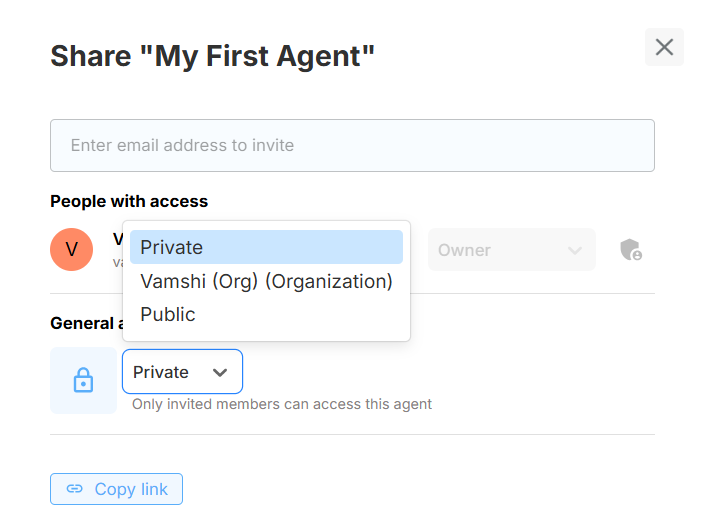
Tip: keep Private during build/test, then broaden after validation.
Agent lifecycle management
Recommended release pattern:
- Build in draft
- Test in preview
- Save named version
- Deploy
- Monitor runtime quality
- Iterate
For details:
Duplicate and delete semantics
Duplicate
Use duplicate when you need:
- variant experiments,
- region-specific behavior,
- team-specific forks.
Delete
Delete permanently removes the Agent and related data.
warning
Deleting an Agent is irreversible.
Best practices
- Keep Agent purpose explicit and narrow
- Use Subagents for specialization, not over-fragmentation
- Attach minimal required tools per Subagent
- Pair deployments with post-launch monitoring