Tools
How to get there: Sidebar → Tools (Admin only)
What is a Custom Tool?
A small, self-contained integration that your agent's Subagents can invoke:
- Call external APIs
- Parse or transform data
- Interact with third-party services (CRMs, databases, notification systems)
- Any action your MCP server exposes
Creating a Custom Tool
- Navigate to Tools in the sidebar.
- Click "Create tool".
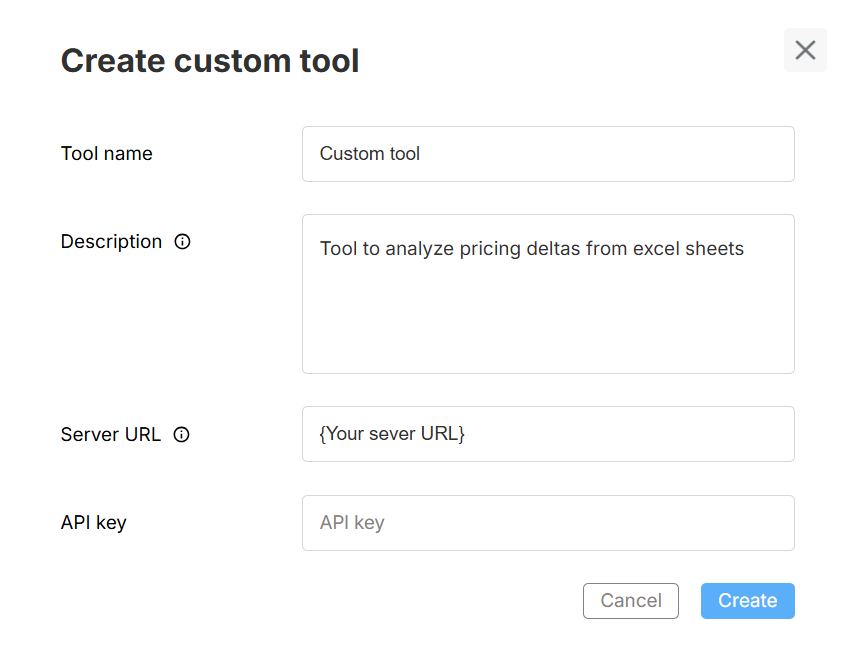
- Fill out the form:
| Field | Required | Description |
|---|---|---|
| Tool name | Yes | Descriptive name (helps AI decide when to use it) |
| Description | — | What the tool does and when to use it |
| Server URL | Yes | Public HTTPS endpoint of your MCP service |
| API Key | — | Authentication key (if your server requires one) |
- Click Create.
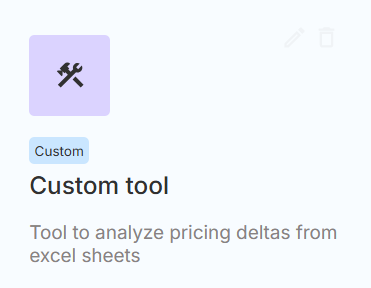
- The tool appears in your list with Edit and Delete actions.
Attaching a Custom Tool to a Subagent
Via Manual Mode
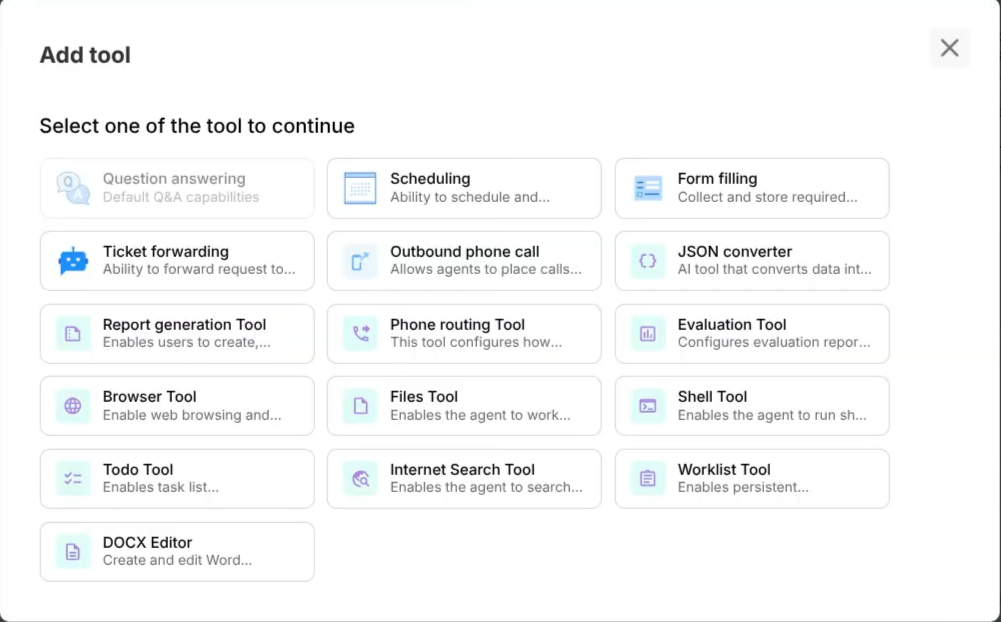
- Composer → select Subagent → Configuration → Tools section
- Click Add tool
- Select your Custom Tool from the list
- Save & Deploy
Via Assisted Mode (Composer)
Just tell the Composer:
"Add my [tool name] to this subagent"
The system handles the attachment automatically on the selected Subagent.
Managing Custom Tools
| Action | How |
|---|---|
| Edit | Open the tool card → update fields → Save |
| Delete | Select Delete → confirm deletion |
| View status | Tool cards show connection status |
Best Practices
| Practice | Why |
|---|---|
| Use HTTPS | Secure communication between xMagic and your server |
| Rotate API keys | Minimize exposure if a key is compromised |
| Return structured JSON | Helps the agent parse and use responses effectively |
| Include request IDs in logs | Easier debugging when things go wrong |
| Handle timeouts gracefully | Return meaningful errors rather than hanging |
| Write clear descriptions | The AI uses the description to decide when to invoke the tool |
MCP Server Requirements
Your MCP server should:
- Be publicly accessible via HTTPS
- Respond within a reasonable timeout (< 30 seconds recommended)
- Return JSON responses
- Handle authentication via API key header (if configured)
- Expose tool capabilities that the xMagic platform can discover