Versioning
Versioning lets you ship confidently, recover quickly, and keep production stable while iterating fast.
Why versioning matters
Without version discipline, teams risk:
- accidental production regressions,
- unclear rollback paths,
- poor auditability across changes.
Versioning solves this with explicit release checkpoints.
Core actions
| Action | What it does | Production impact |
|---|---|---|
| Save | Stores current draft as a named checkpoint | No live impact |
| Deploy | Promotes a version to live traffic | Immediate live impact |
| Load | Restores a previous version into draft | No impact until deploy |
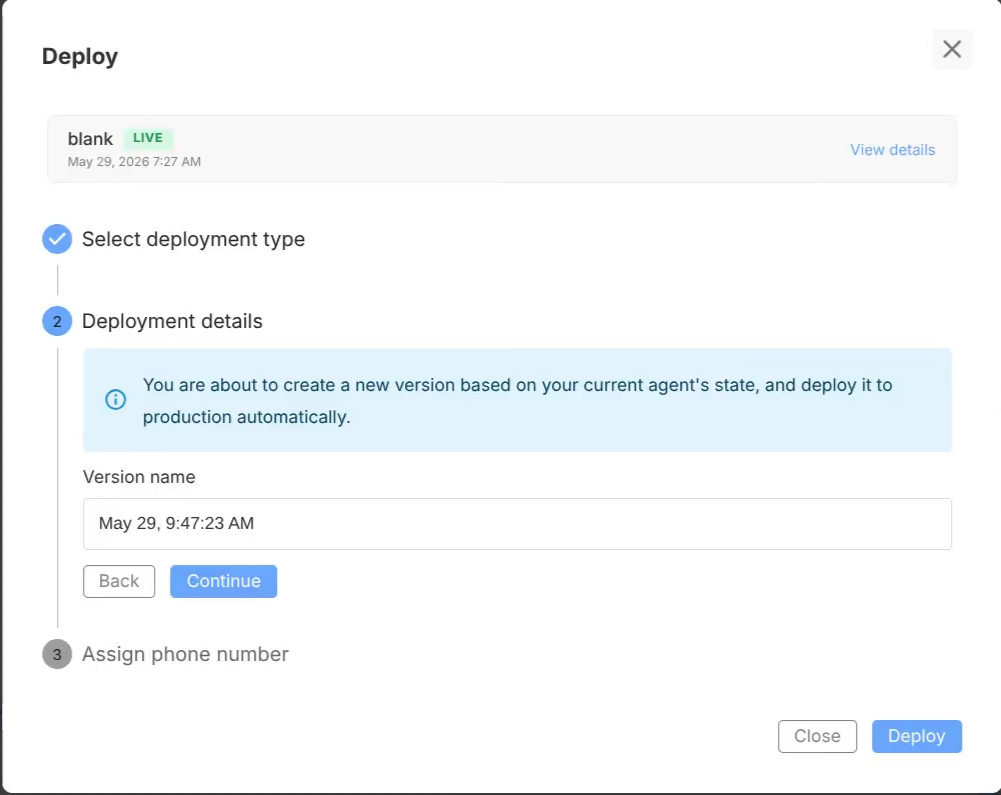
Draft vs deployed
- Draft: where you edit and test
- Deployed: what users actually experience
This separation is central to safe release management.
Recommended release workflow
- Implement configuration changes
- Test full Agent and critical Subagents
- Save named version
- Deploy selected version
- Monitor conversations/feedback/worklist
- Roll back if quality drops
Naming strategy
Use predictable, searchable version names.
Examples:
v1.2.0-support-routingv1.2.1-hotfix-fallbackv1.3.0-sharepoint-sync
Guidelines:
- include intent,
- avoid ambiguous names like
latest-update, - keep format consistent across team.
Rollback runbook
If incident occurs:
- Identify last known-good version
- Load it
- Deploy it
- Confirm runtime behavior in Interact
- Capture incident notes before reattempting fix
Team operating model
For multi-person teams:
- define who can deploy,
- require version naming conventions,
- review major guardrail/tool changes before deploy,
- track deployment rationale in release notes.
Common mistakes
- Deploying unsafely without targeted preview tests
- Reusing vague version names
- Editing rapidly without intermediate saves
- Skipping rollback drills