Ticket Forwarding

Ticket Forwarding ensures users can reach human support when AI resolution is insufficient.
When to use this tool
- High-friction support requests
- Policy-sensitive escalations
- Low-confidence AI responses
Configuration
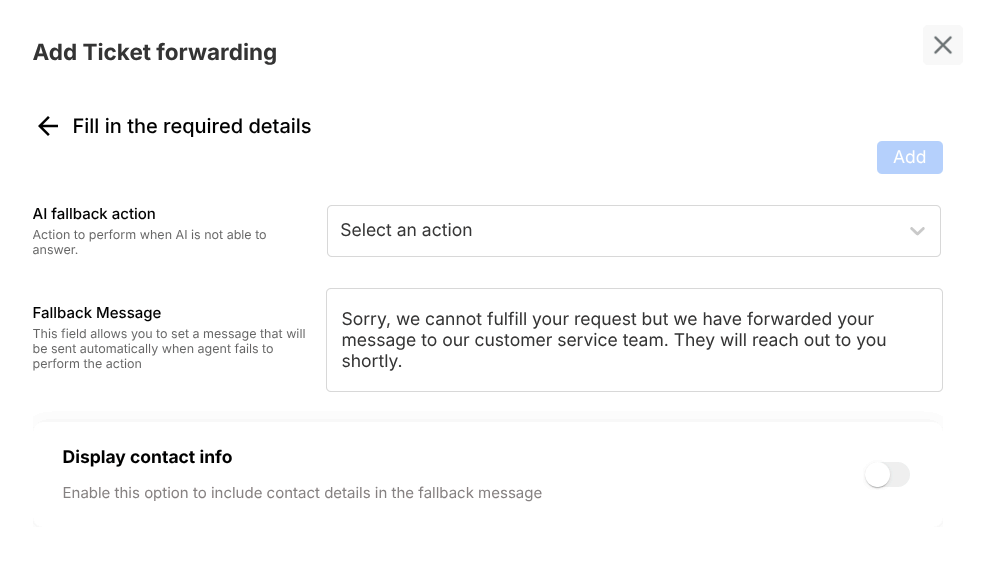
- Select escalation channel (email, Slack, Zendesk, etc.)
- Provide channel credentials/webhook details
- Set fallback message and optional contact info
Example usage
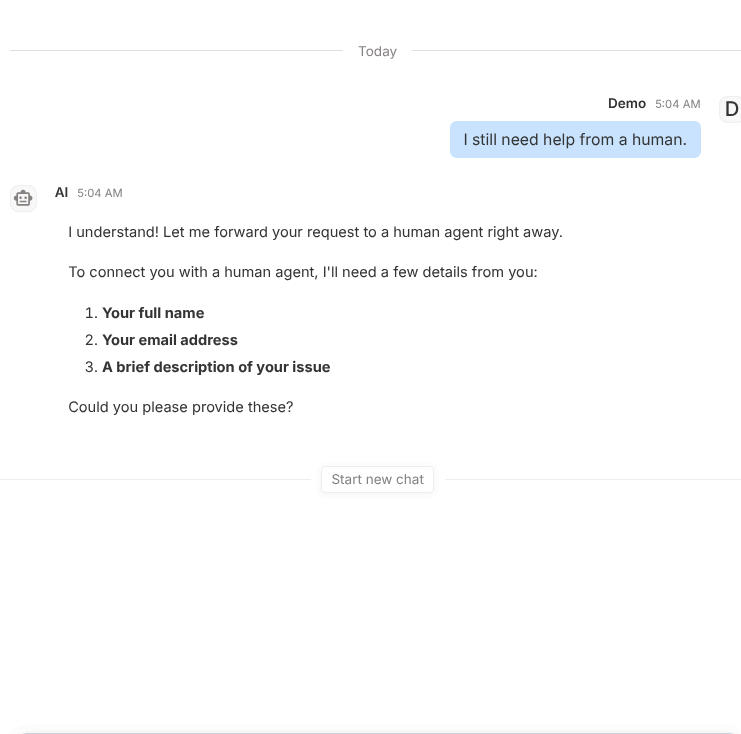
User prompt:
I still need help from a human.
Expected behavior:
- Triggers selected escalation channel
- Returns clear fallback confirmation to user
- Preserves issue context for support team
Validation checklist
- Confirm tool is attached to correct Subagent
- Test both success and failure path in Preview
- Verify deployed behavior in Interact for real user phrasing
Common issues
- Broken webhook or invalid token blocks escalation
- No fallback message causes poor user experience
Best practices
- Define escalation thresholds in prompt
- Test each channel end-to-end before deployment