Scheduling

Scheduling enables Subagents to offer time slots and confirm appointments through connected calendar providers.
When to use this tool
- Demo booking
- Consultation scheduling
- Follow-up appointment automation
Configuration
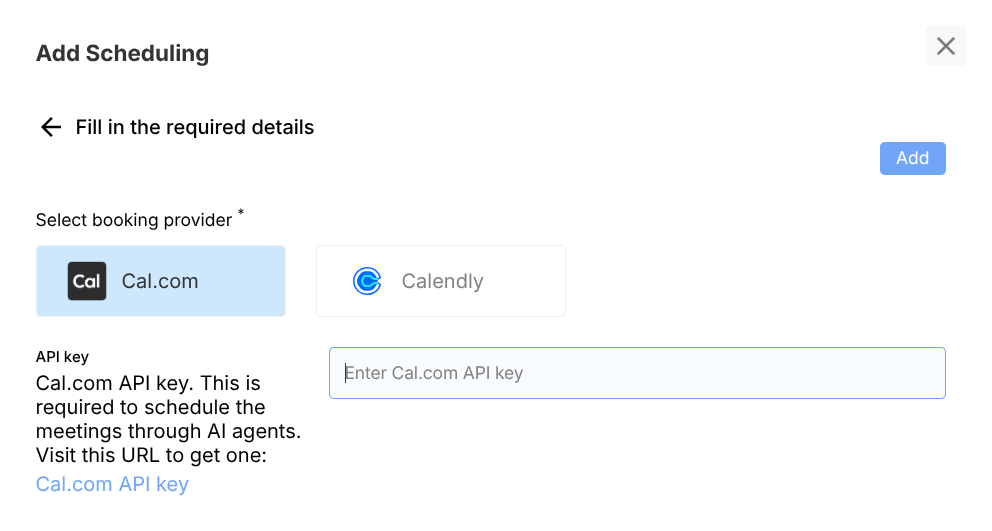
- Choose provider (e.g., Cal.com / Calendly)
- Add API key or provider credentials
- Define booking intent and required user fields
Example usage
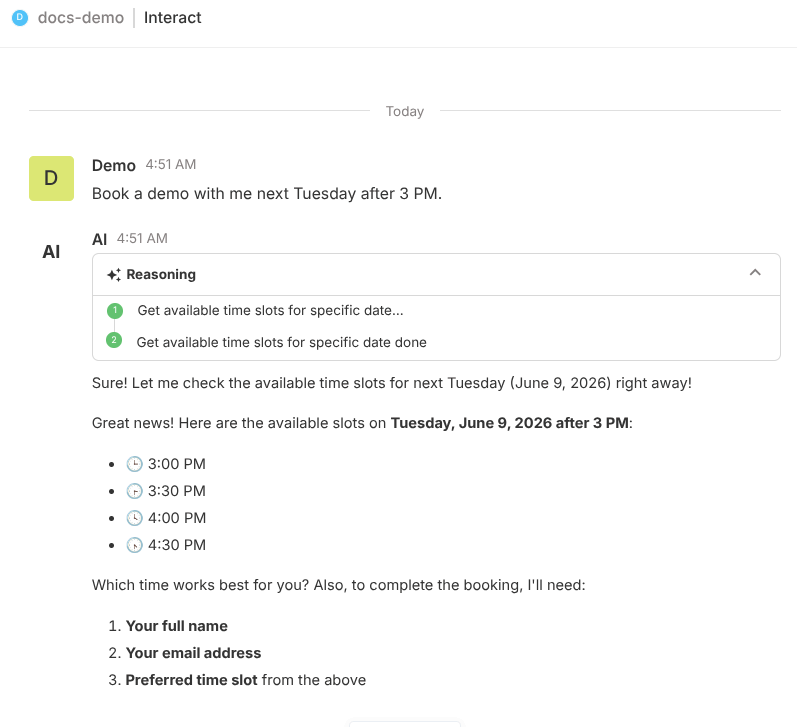
User prompt:
Book a demo with me next Tuesday after 3 PM.
Expected behavior:
- Collects required scheduling inputs
- Checks availability and proposes options
- Confirms final booking details
Validation checklist
- Confirm tool is attached to correct Subagent
- Test both success and failure path in Preview
- Verify deployed behavior in Interact for real user phrasing
Common issues
- Invalid API key prevents slot lookup
- Missing required booking fields blocks confirmation
Best practices
- Keep booking scope clear in Subagent prompt
- Provide timezone guidance in user flow