Worklist
How to get there: Agent → Worklist (when enabled)
What Worklist is for
Use Worklist to:
- run background tasks outside live chat turns,
- schedule recurring operations,
- monitor status and outputs,
- rerun or archive failed/completed tasks.
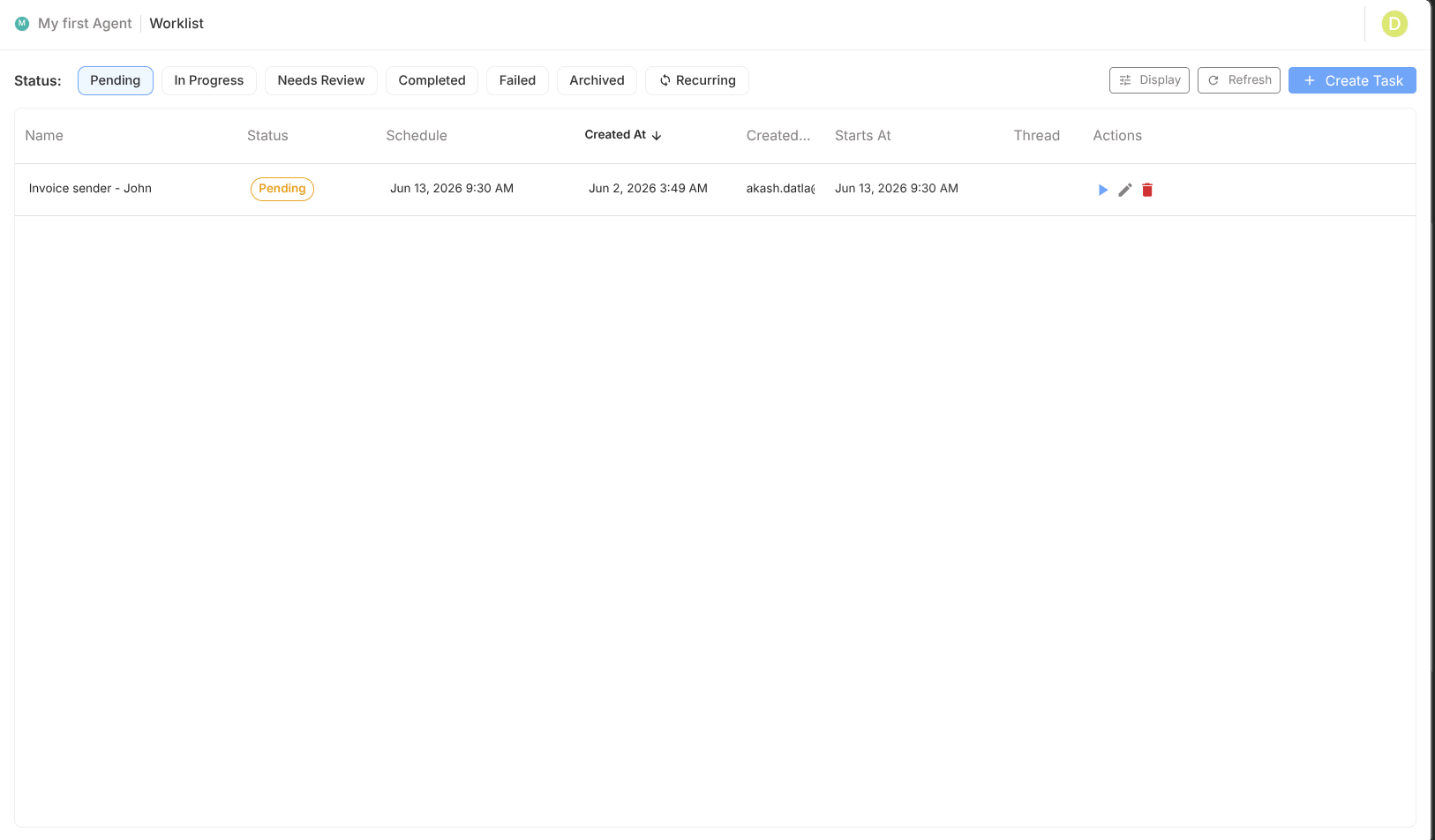
Task list structure
| Column | Meaning |
|---|---|
| Name | Task title |
| Status | Current lifecycle state |
| Output | Generated result/summary |
| Schedule | Recurrence details |
| Description | Task intent/context |
| Created | Creation timestamp |
| Chat Thread | Source conversation link |
| Actions | Trigger/rerun/edit/archive/delete |
Task statuses
| Status | Interpretation |
|---|---|
pending | Queued and waiting |
in_progress | Currently executing |
needs_review | Completed but needs operator review |
completed | Finished successfully |
failed | Execution failed |
Actions and operator controls
| Action | Use case |
|---|---|
| Trigger | Start queued task now |
| Rerun | Retry with same setup |
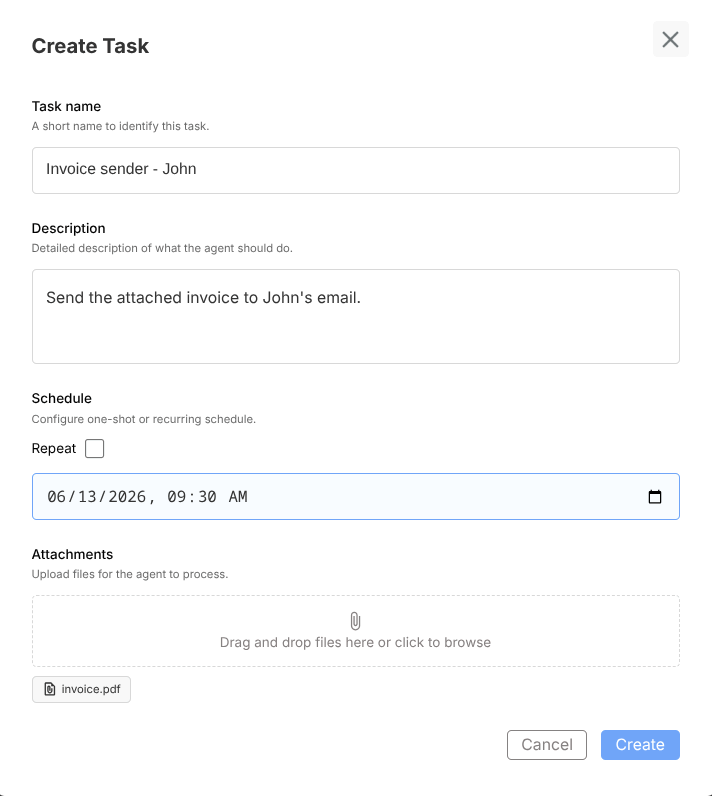
| Edit | Adjust task details before next run |
| Archive | Remove from active queue view |
| Delete | Permanently remove task |
Recurrence scheduling
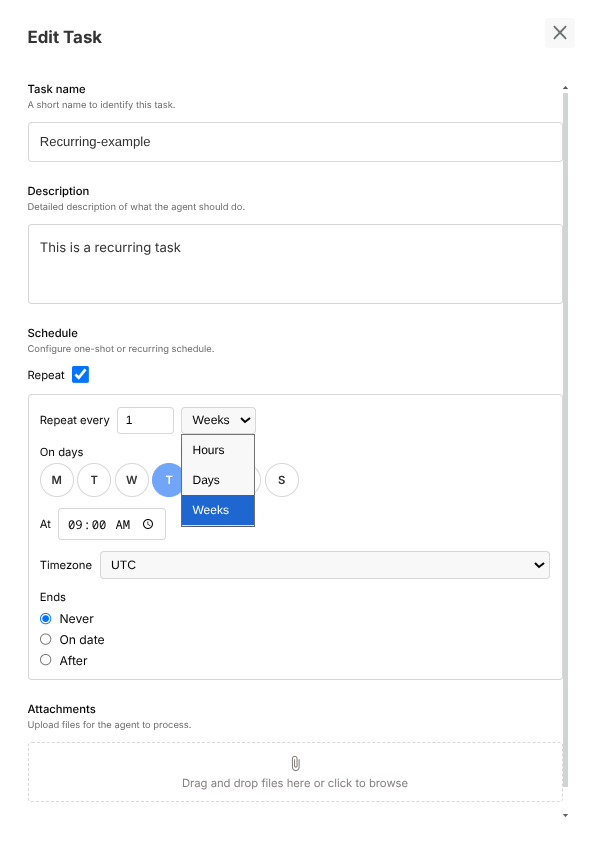
Worklist supports recurring jobs with configurable cadence.
| Setting | Purpose |
|---|---|
| Frequency | Daily/weekly/custom cadence |
| Interval | Every N minutes/hours/days |
| Days of week | Weekly targeting |
| Timezone | Scheduling context |
| End condition | Stop policy (date/count/never) |
Debugging failed tasks
When tasks fail:
- Open task details/output
- Check related thread context
- Validate tool configuration and credentials
- Validate file input assumptions
- Apply fix and rerun
Worklist + chat relationship
Tasks often originate from user chat actions but may execute later.
Use Chat Thread link to connect:
- original user request,
- generated task config,
- execution result.
Best practices
- Use recurring tasks for deterministic routine workflows
- Keep task descriptions explicit for operators
- Review failed/needs_review queue daily
- Archive completed tasks to keep active view clean
- Define rerun policy for high-impact tasks