Workspace & Settings
Access: Sidebar bottom → Settings or avatar menu → Settings
Settings Modal Structure
The Settings modal has its own left sidebar organized into groups:
| Group | Tabs |
|---|---|
| Account | Profile |
| Workspace | General, Members, Privileges, Phone, Email, Billing, Usage |
| Referrals | Invite Friends |
| Agents | One entry per agent (agent-specific settings) |
Members
Manage who has access to your workspace.
Viewing Members
A table showing all members with:
- Name and email
- Role (Admin or Member) — changeable anytime
- Status — Active or Pending
- Remove — Red icon to revoke access
Inviting Members
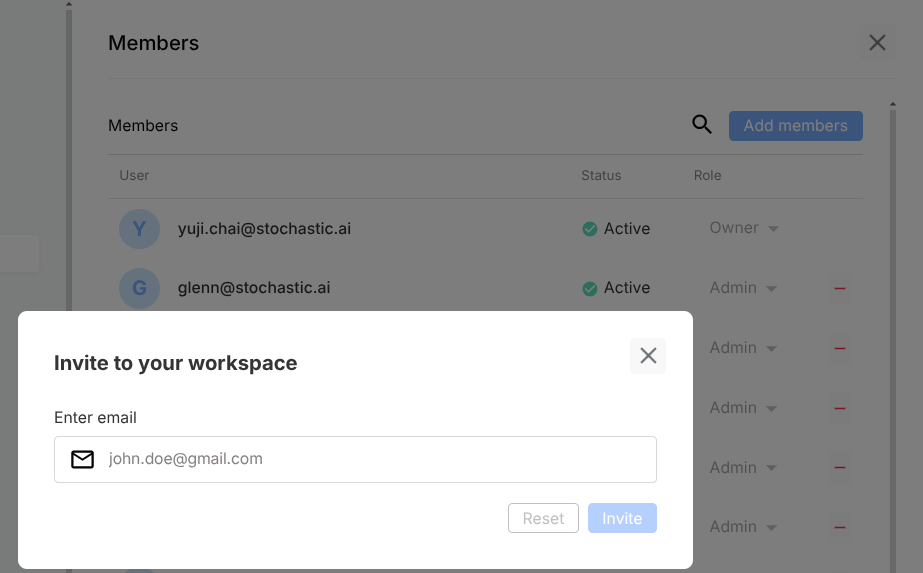
- Click "Add members"
- Enter email address
- Choose role: Admin or Member
- Click invite
The invitee receives an email with a sign-up/accept link. Their status shows "Pending" until accepted.
Privileges (RBAC)
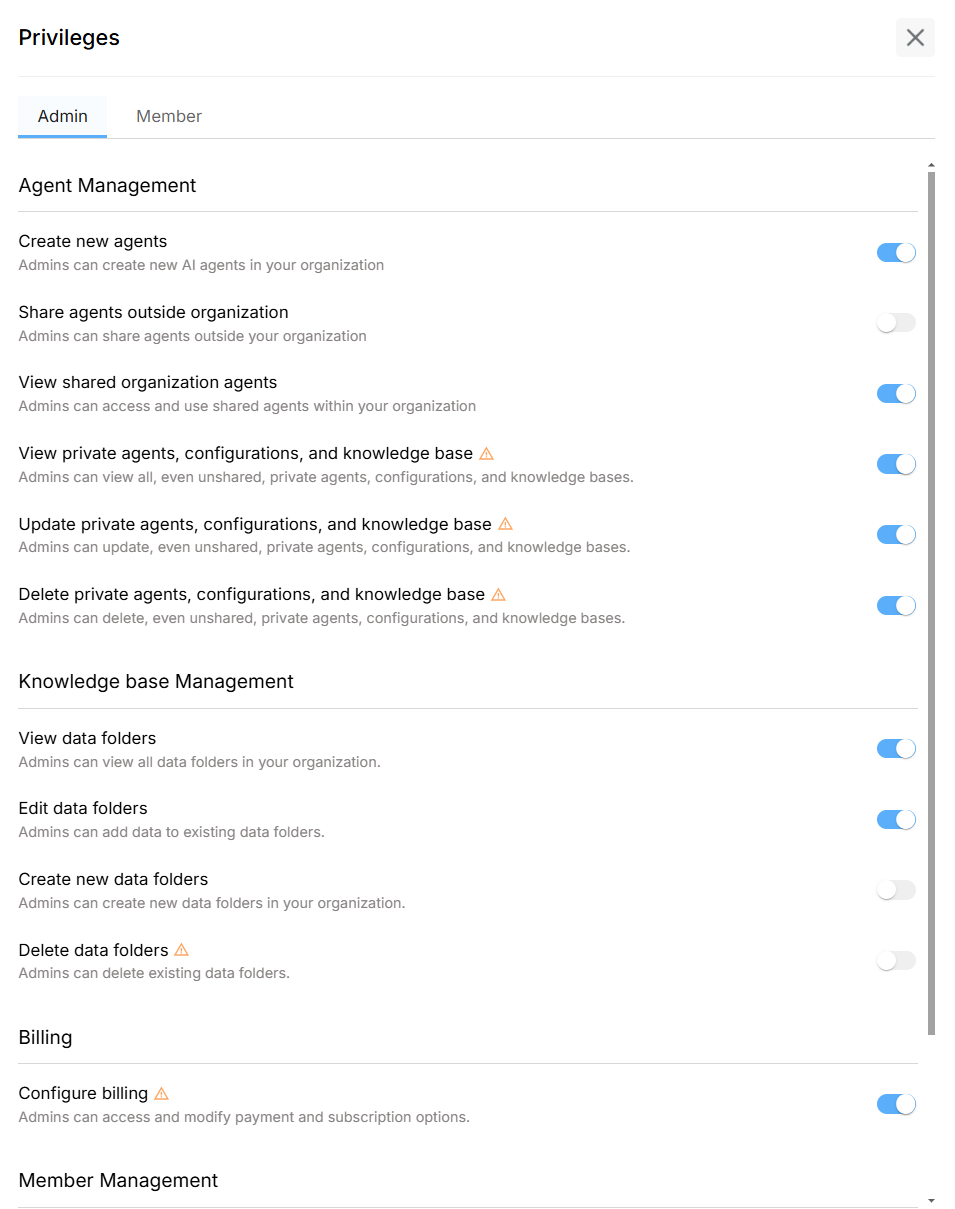
Fine-grained permission controls for what Admins and Members can do.
Permission Categories
| Category | Permissions |
|---|---|
| Agent Management | Create, view shared, view private, update, delete agents |
| Drive | View, edit, delete Drive folders |
| Billing | View and manage subscription settings |
| Member Management | Invite, remove, change roles |
Default Role Comparison
| Capability | Admin | Member |
|---|---|---|
| Create agents | Yes | Yes |
| View shared workspace agents | Yes | Yes |
| View/update/delete private agents | Yes | No |
| View/update/delete private KB | Yes | No |
| Configure billing | Yes | No |
| Invite/remove members | Yes | No |
The workspace Owner (creator) has all privileges and can toggle permissions for each role.
Changes apply instantly when toggled — no save button needed.
Phone Numbers
Purchase and manage dedicated phone numbers for voice channels.
| Action | Description |
|---|---|
| Buy number | Purchase a new phone number |
| Release | Remove a number from your workspace |
| Delete | Permanently delete |
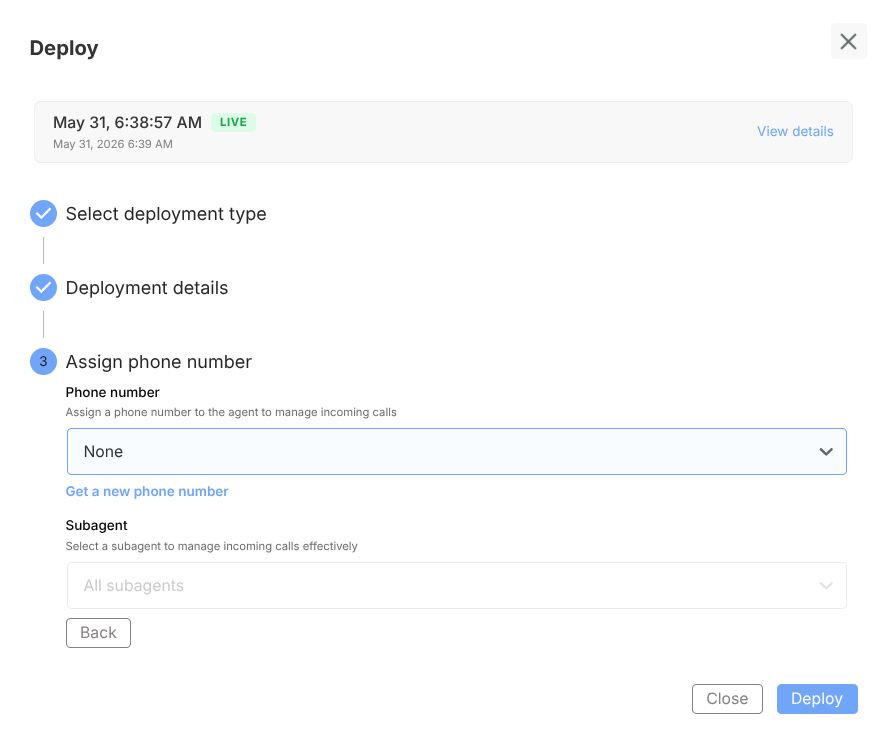
Phone numbers can be assigned to agents during deployment.
Email Settings
Configure email addresses for agent notifications and form submissions.
Billing & Plans
Available Plans
| Plan | Highlights |
|---|---|
| Free | 1 Agent, 1 Subagent, 500 messages/month |
| Pro | Unlimited agents, 5 workflows, advanced tools |
| Business | SAML SSO, data region selection |
| Enterprise | Custom SLA, on-premise, dedicated support |
Management
- Change plan — Upgrade or downgrade anytime
- Payment method — Update credit card details
- Billing email — Set where invoices are sent
- View invoices — Access past billing records
- Cancel — Takes effect at end of billing period; data retained; usage reverts to Free limits

Usage
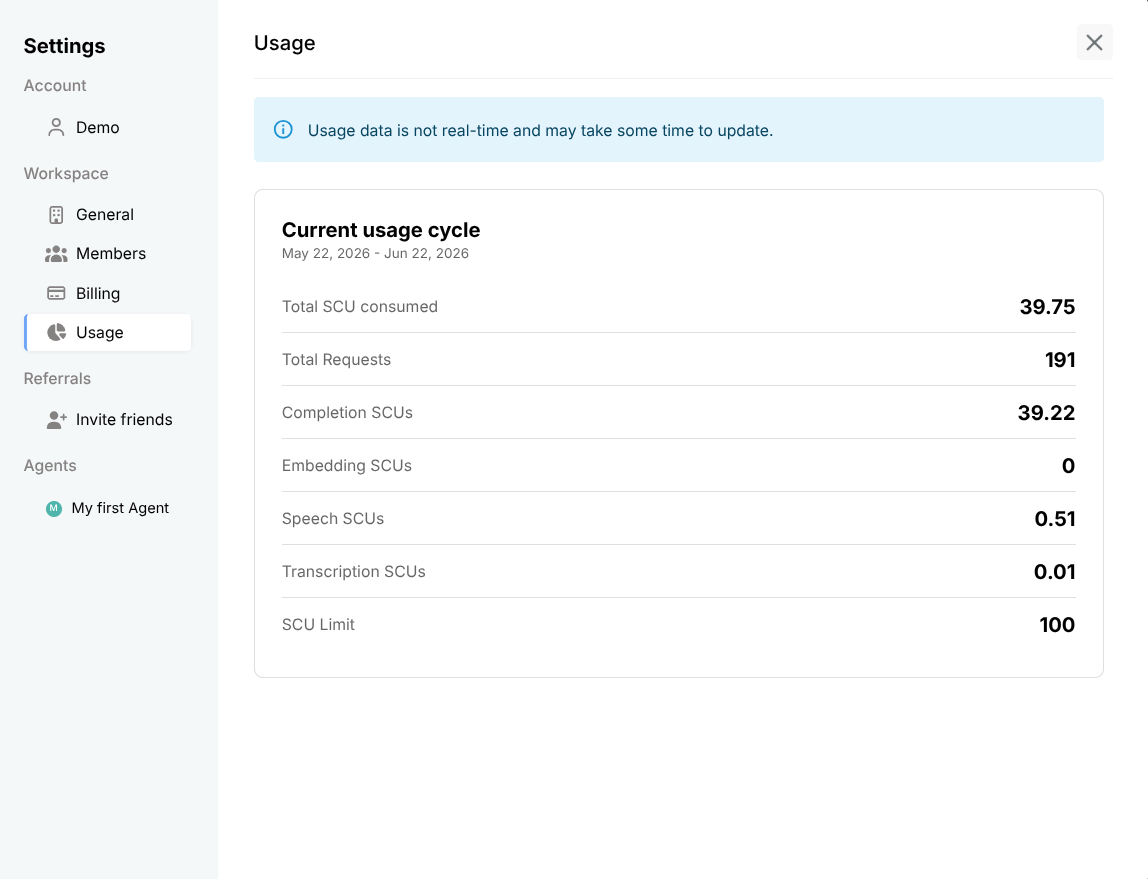
View consumption metrics:
- Message counts
- API calls
- Storage usage
- Active agents
Security
Certifications
| Standard | Status |
|---|---|
| GDPR | Fully compliant |
| SOC 2 Type II | Annual audit |
| HIPAA | BAA available on Enterprise plan |
Data Regions
Choose at workspace creation (permanent):
- United States
- European Union
Vulnerability Reporting
Email: security@xmagic.ai — 24-hour acknowledgment SLA.