JSON Converter

JSON Converter standardizes output shape for downstream automations and integrations.
When to use this tool
- System-to-system handoff
- Structured extraction outputs
- Workflow payload normalization
Configuration
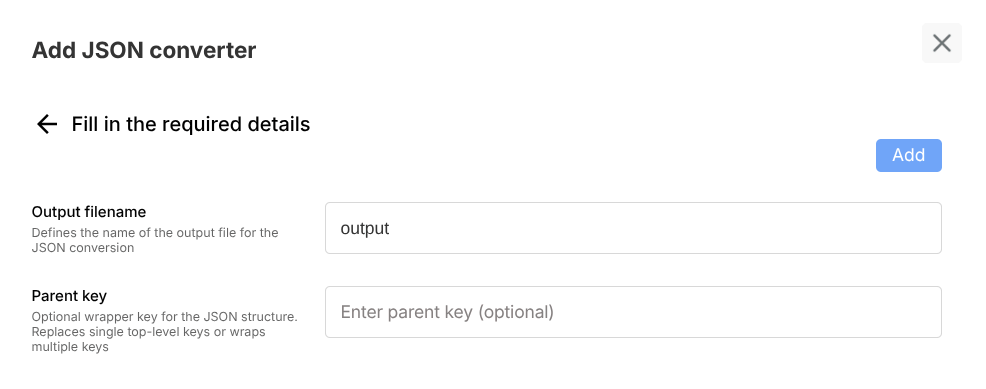
- Define expected schema/keys
- Set naming/format conventions
- Specify optional root wrapper key
Example usage
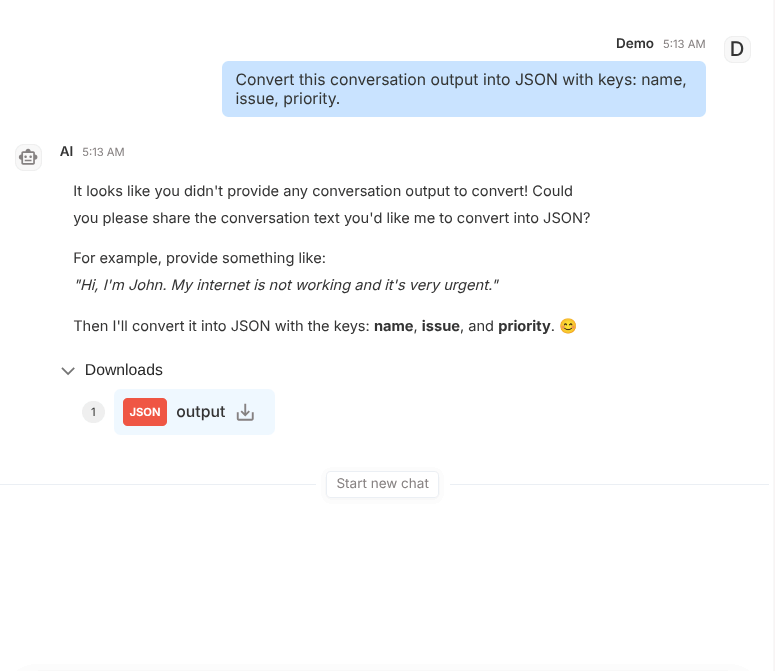
User prompt:
Convert this conversation output into JSON with keys: name, issue, priority.
Expected behavior:
- Returns valid JSON
- Matches requested key structure
- Keeps values semantically aligned to source content
Validation checklist
- Confirm tool is attached to correct Subagent
- Test both success and failure path in Preview
- Verify deployed behavior in Interact for real user phrasing
Common issues
- Underspecified schema leads to inconsistent key names
- Mixed data types can break downstream consumers
Best practices
- Provide explicit schema instructions
- Validate outputs in preview before deploying to integrations