Drive
Drive is your shared repository of documents and links used by agents and subagents as retrieval context.
Accessing Drive
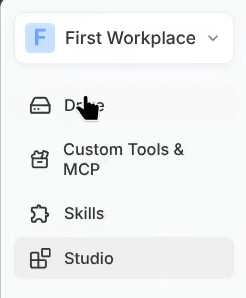
Path: Sidebar → Drive
Landing sections
| Section | What it shows |
|---|---|
| Recently opened | Folders you used recently |
| Shared with me | Folders shared by teammates |
| Workspace folders | All folders in your workspace |
| Search | Folder/document lookup |
Creating a Drive folder
- Click + Create folder
- Name your folder
- Choose input source:
| Method | How it works |
|---|---|
| Upload files | Add PDFs, DOCX, TXT, CSV, XLSX |
| Add links | Crawl web URLs (optional sub-pages) |
| Google Drive | Import files via integration |
| SharePoint | Connect and sync selected libraries |
| Skip | Create empty folder |
Managing folder content
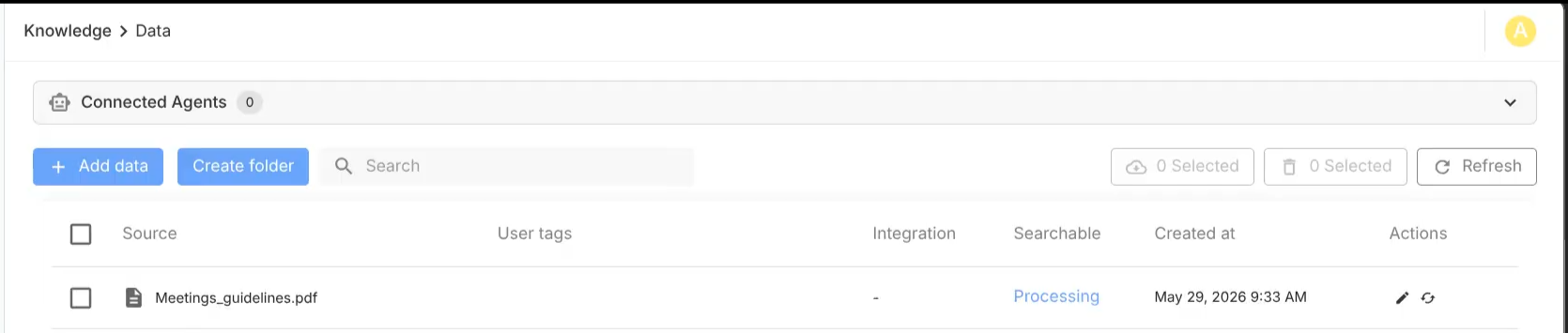
| Action | Description |
|---|---|
| Search | Find specific content |
| Re-index | Refresh index after content updates |
| View parsed pages | Inspect extracted URL content |
| Filter | Narrow by source, type, status |
| Add data | Append files/links/integrations |
| Delete items | Remove content from folder |
Attaching Drive to a Subagent
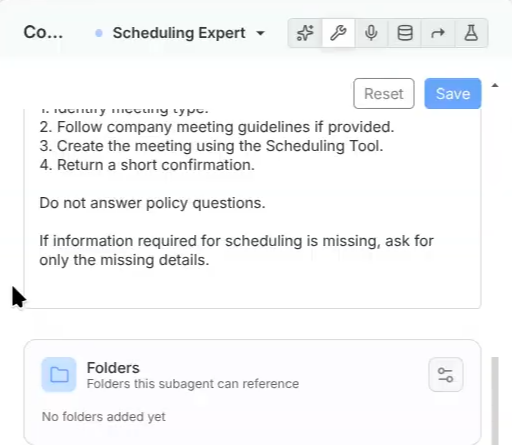
- Open Composer → Manual
- Select your Subagent
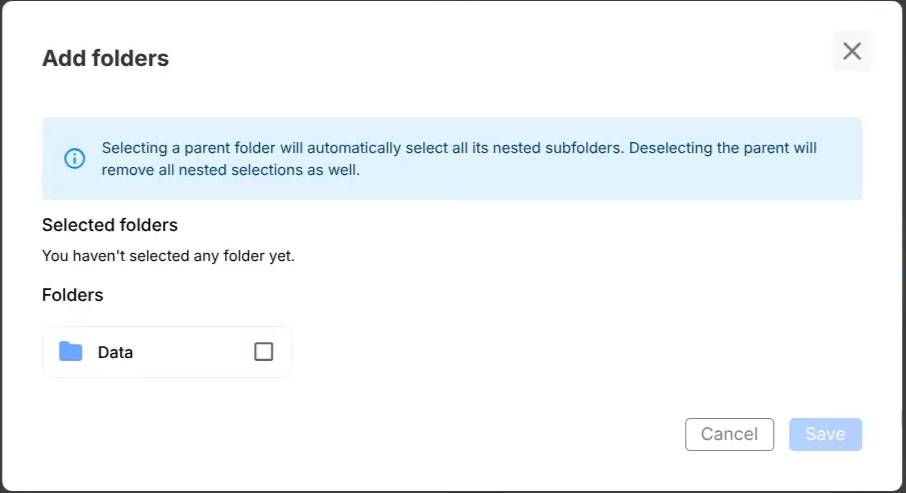
- In the Drive section, choose folder(s)
- Save and deploy
Drive integrations
| Source | Sync behavior |
|---|---|
| Google Drive | Import selected files manually |
| SharePoint | Automatic sync for add/update/remove |
| Web URLs | One-time crawl with optional sub-page crawl |
Best practices
- Keep folders topic-focused
- Remove duplicate documents
- Re-index after large edits
- Use clear file names
- Attach only relevant folders per subagent