Feedback
How to get there: Agent → Feedback (when enabled)
Why Feedback matters
Feedback helps you:
- identify response quality gaps,
- separate noise from true defects,
- feed high-quality signal into memory/improvement loops,
- close the iteration loop after deployment.
Feedback controls
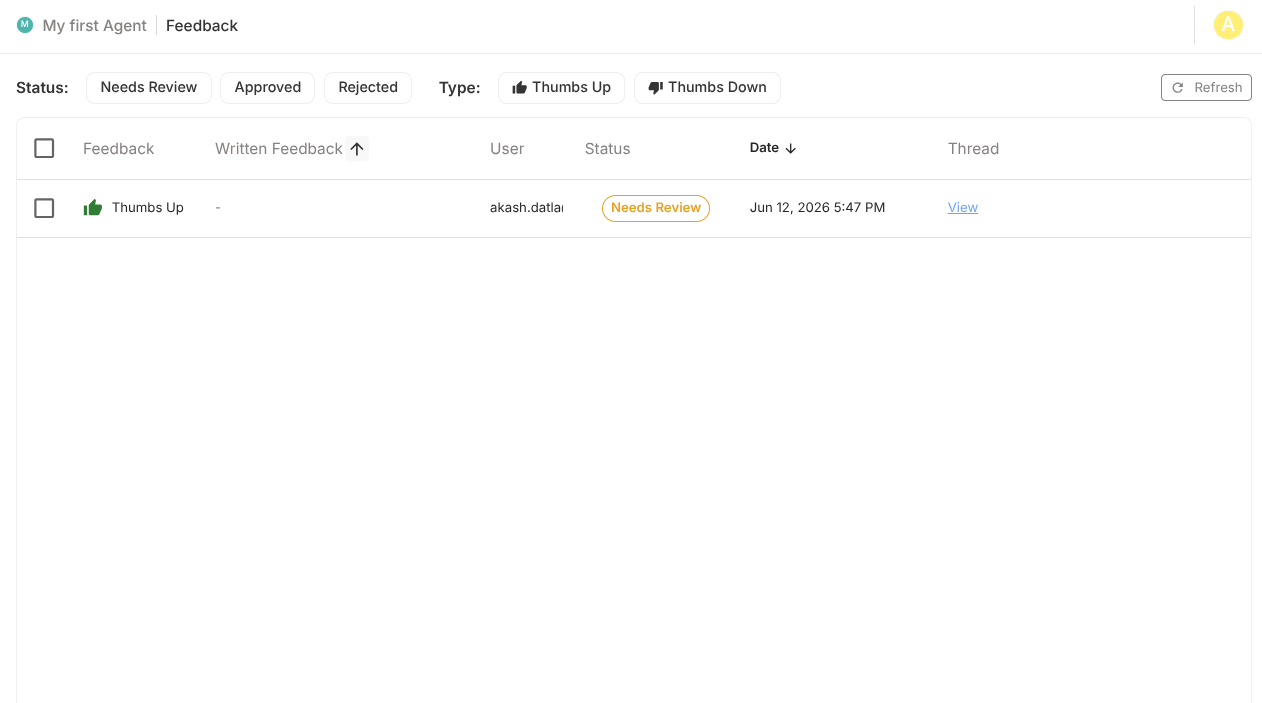
Filter bar
| Filter | Options |
|---|---|
| Status | Needs Review / Approved / Rejected |
| Type | Thumbs Up / Thumbs Down |
| Refresh | Reload list |

Feedback table
| Column | What it shows |
|---|---|
| Feedback | Positive/negative reaction |
| Written Feedback | Free-text comment |
| User | User identifier |
| Status | Review state |
| Date | Timestamp |
| Thread | Conversation context link |
Review workflow
- Filter to Needs Review
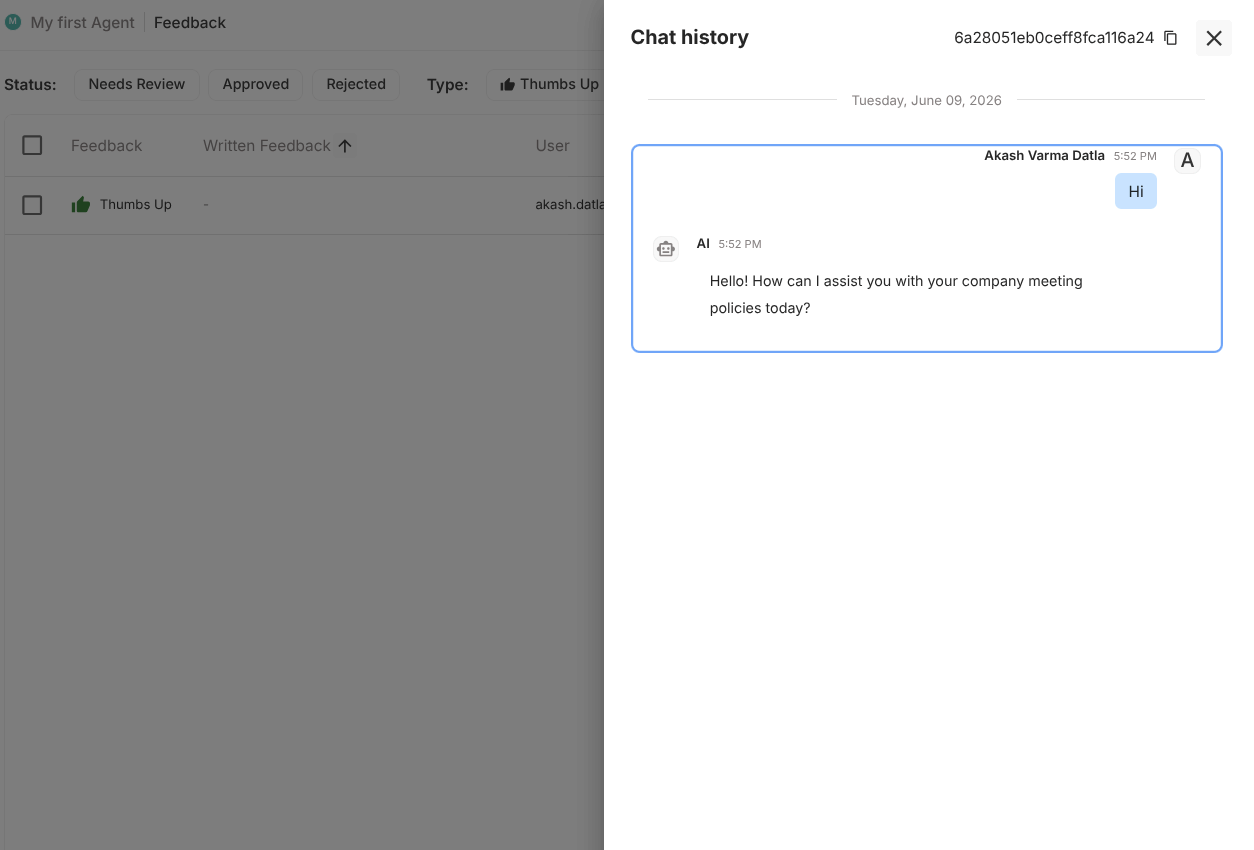
- Open thread context
- Judge whether signal is valid
- Approve or reject
- Track recurring categories for roadmap fixes
Batch operations
| Action | Effect |
|---|---|
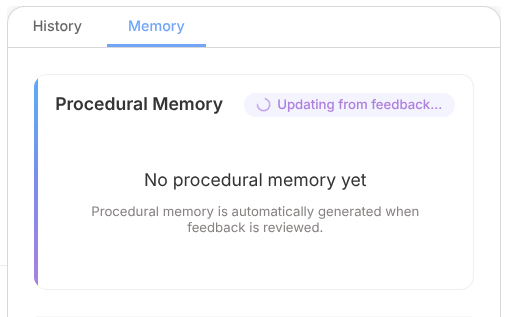
| Approve Selected | Marks valid feedback for improvement loop |
| Reject Selected | Excludes feedback from improvement loop |
| Delete Selected | Permanently removes selected entries |
note
Batch actions can be temporarily limited while memory processing is running.
Context-first decision making
Always inspect conversation context before approving negative feedback.
A thumbs-down may be due to:
- missing Drive context,
- wrong Subagent routing,
- poor user prompt clarity,
- expected refusal under Guardrails.
Improvement loop
A practical loop:
- Collect feedback
- Review and curate
- Convert valid signal into prompt/tool/Drive/Guardrail improvements
- Redeploy
- Re-measure feedback trend
Best practices
- Review Feedback after each deployment
- Prioritize repeated negative themes over one-off outliers
- Maintain internal taxonomy for recurring issues
- Pair feedback review with Threads review for full context